Wed, Feb 11, 2026
How to Choose the Right SCORM Authoring Tool

“What’s the best tool for creating SCORM content?”
At PandaSuite, we get this question all the time. Our answer: it depends. Converting a PowerPoint into a SCORM module in an hour and building an immersive interactive experience are two entirely different projects. And therefore two entirely different tools.
We’re PandaSuite we built a no-code platform that exports to SCORM (need a refresher on what SCORM is?), so we’re clearly a stakeholder here. Yet the goal of this article is to help you choose the right tool for your project not to sell you ours.
Overview: which tool for which need?
| Tool | Best for | SCORM | Indicative price | Key strength |
|---|---|---|---|---|
| iSpring Suite | Converting PPTs | 1.2, 2004 | ~$970/yr | Native PowerPoint integration |
| Articulate 360 | Full e-learning courses | 1.2, 2004, xAPI | ~$1,499/yr | Industry standard, rich ecosystem |
| Adobe Captivate | Software simulation | 1.2, 2004, xAPI | ~€49/mo | Adobe ecosystem, accessible price |
| PandaSuite | Interactive experiences | 1.2, 2004 | From €790/yr | Complete creative freedom |
| Genially | Quick visual content | 1.2 only | ~€40/mo | Intuitive interface, visual output |
| H5P | Modular interactions | 1.2 (via Lumi) | Free (open source) | Zero budget |
I have a PowerPoint and I want to move fast
📍 You already have your training materials in PowerPoint and you want to make them available on your LMS. No need to start from scratch you just want to convert them to SCORM.
iSpring Suite
The most straightforward solution: iSpring Suite installs directly inside PowerPoint. You can export your file to SCORM 1.2 or 2004 in a few clicks, with the main indicators (launch, completion, time spent).
If you want to go further, you can add quizzes (14 question types), dialogue simulations, and audio/video recordings.
Keep in mind:
- You stay in a linear slide logic: no free navigation or advanced interactivity.
- Mobile rendering depends heavily on the source content.
- Windows only no native Mac version.
Best for: training teams with an existing set of PowerPoint materials who want to make them trackable on an LMS quickly, without switching authoring tools.
I want standardized e-learning courses
📍 You’re not looking to convert existing materials - you want to design real training courses: graded quizzes, branching scenarios, formal assessments, detailed results tracking.
This is the territory of specialized e-learning authoring tools. They are built around these use cases.
Articulate 360 (Storyline / Rise)
Articulate is the industry standard. Storyline 360 lets you create rich modules with branching scenarios, variables, and object states. Rise, on the other hand, offers a simpler, responsive approach for well-structured linear courses.
SCORM compatibility (1.2, 2004) and xAPI support is solid, score and attempt tracking is reliable, and the ecosystem (templates, E-Learning Heroes community, documentation) is rich.
Keep in mind:
- Storyline has a real learning curve. Expect several weeks to feel comfortable with advanced features.
- Pricing: from ~$1,499/yr per author, up to ~$1,749/yr on the Teams plan with AI.
- Rise offers less customization flexibility than Storyline, but it’s a package deal.
Best for: structured training teams, instructional designers, and training organizations that regularly produce e-learning courses and need robust tools at scale.
Adobe Captivate
Adobe Captivate plays in the same league as Articulate, with a few distinct strengths: software simulation (interactive screen recording), adaptive responsive design, and integration with the Adobe ecosystem (Creative Cloud, Adobe Learning Manager).
Keep in mind:
- Captivate has a reputation for being more rigid and less intuitive than Storyline. User reviews confirm a steep learning curve.
- The community is smaller and help resources less plentiful than Articulate.
- The price is more affordable (~€49/mo) than Articulate, which can make a difference for individual use.
Best for: teams already in the Adobe ecosystem, projects requiring advanced software simulation, or freelancers looking for a full-featured authoring tool at a lower price than Articulate.
I want a highly engaging interactive experience
📍 You don’t just want to “deliver content” - you want learners to explore, manipulate, and discover. Free navigation, animations, rich interactions, polished mobile rendering. Something that feels more like an app than a slideshow.
PandaSuite
This is us, so we’ll be transparent about what we do and what we don’t.
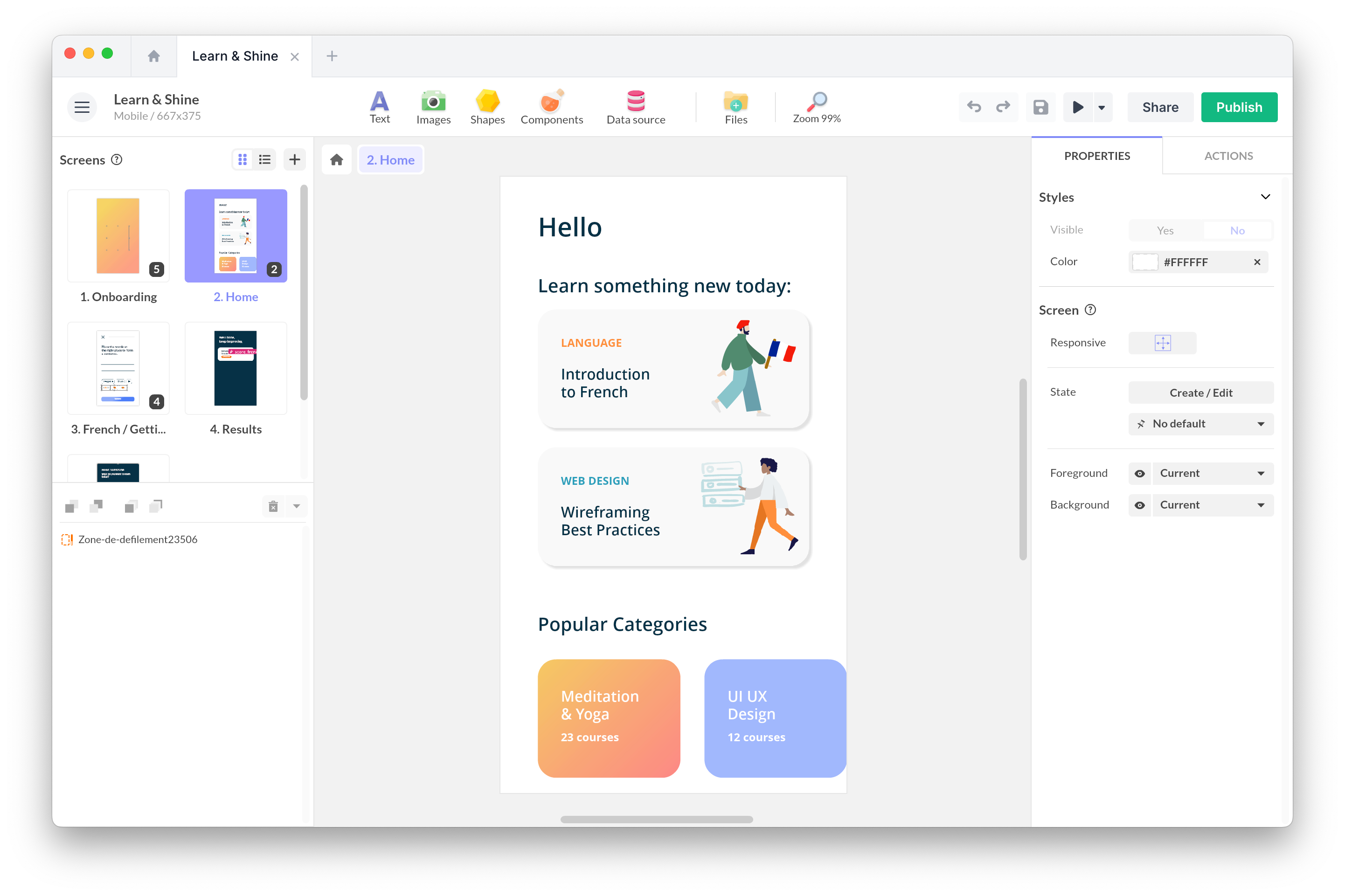
PandaSuite is a no-code platform for creating custom interactive experiences free navigation, animations, scroll, video, drag & drop, mini-games with SCORM 1.2 and 2004 export. The output is native and responsive, designed to work equally well on mobile and desktop.
Our strength is creative freedom: you’re not constrained by a template or a slide-based logic. If your project calls for something original and highly visual, that’s where we add the most value.
Keep in mind:
- If you’re looking for a pure quiz tool or a high-volume e-learning production workflow, this isn’t the right choice.
- There is a learning curve: the interface is powerful but can feel overwhelming for beginners though our support team is great and helps you get up to speed.
- The pricing model has two parts: creation is free, but web publishing (required for SCORM export) starts at €790/yr. Factor this into your budget.
Best for: teams that want to create engaging, visual learning experiences that stand apart from traditional e-learning, and who have time to invest in getting up to speed with the tool.
Genially
Genially is designed for creating visual, interactive content quickly: animated presentations, clickable infographics, modules with hotspots and pop-ups. The interface is intuitive and you get a polished visual result without much effort.
Keep in mind:
- SCORM is an add-on to the product, not its core. If your primary need is detailed LMS tracking, you may hit limitations.
- No SCORM 2004 or xAPI support.
Best for: teams that want visual, animated content that’s quick to produce, with SCORM tracking sufficient for simple needs (access, progress, overall score).
H5P
H5P is open source and offers a library of interactive content types: interactive videos, timelines, varied quizzes, and presentations with embedded interactions. It’s all free (or available via Lumi / H5P.com for hosting).
Keep in mind:
- Each H5P content piece is a standalone block, not a seamless course. For creating a free-navigation experience, H5P shows its limits.
- SCORM export via Lumi can have bugs (especially with embedded videos issues documented on GitHub). Some technical comfort is needed.
- Certain content types don’t work in SCORM export (those requiring a web server).
- No SCORM 2004 or xAPI support for export.
Best for: teams on a tight budget who want varied, modular interactions and are comfortable with a bit of technical tinkering.
What about other tools?
This comparison isn’t exhaustive. Other solutions are worth evaluating based on your needs:
- Easygenerator: cloud-based authoring tool, very simple, designed for subject-matter experts to create their own modules. A good option if empowering non-specialist creators is your priority.
- Lectora (ELB Learning): a full-featured, powerful authoring tool and a long-standing competitor to Storyline, with strong accessibility support (WCAG/Section 508).
- Elucidat: collaborative cloud platform, designed for large organizations producing at scale. Focus on governance and brand consistency.
What really matters
You could spend hours comparing features. But behind the choice of a SCORM tool, the real issue lies elsewhere: how to produce your content sustainably, maintain it when teams change, and leverage data to improve your training.
A few principles to get it right:
- Test before you buy. Nearly all these tools offer a free trial. Create a simple module and upload it to your LMS. 30 minutes of testing beats 3 hours of reading comparisons.
- Start from your need, not the tool. A tool that impresses in a demo but doesn’t fit your daily workflow won’t get used.
- Think about maintenance. The real cost is rarely the license it’s the time spent updating, fixing, and training new hires on the tool.
The right choice is the one your team will still be using a year from now.
FAQ
What is the best tool for creating SCORM content?
There is no universal “best tool.” The choice depends on your context: iSpring for converting PowerPoints, Articulate for structured e-learning courses, PandaSuite for engaging interactive experiences, Genially for quick visual content, H5P for a limited budget.
What’s the difference between SCORM 1.2 and SCORM 2004 when choosing a tool?
SCORM 1.2 is supported by virtually all LMS platforms and all authoring tools. SCORM 2004 offers advanced sequencing and more detailed tracking, but its compatibility varies across LMS platforms. Before choosing, verify what your LMS actually supports. Learn more about SCORM differences.
Can you create SCORM content for free?
Yes, with H5P (open source) combined with Lumi for SCORM export. It’s the only entirely free option, but it requires some technical comfort and is limited to SCORM 1.2.
Should I choose a tool that supports xAPI in addition to SCORM?
If your LMS only supports SCORM, the question is moot. xAPI becomes relevant if you want to track learning experiences beyond the LMS (mobile, field training, simulations) or get richer analytics. Articulate and Adobe Captivate support both standards.